
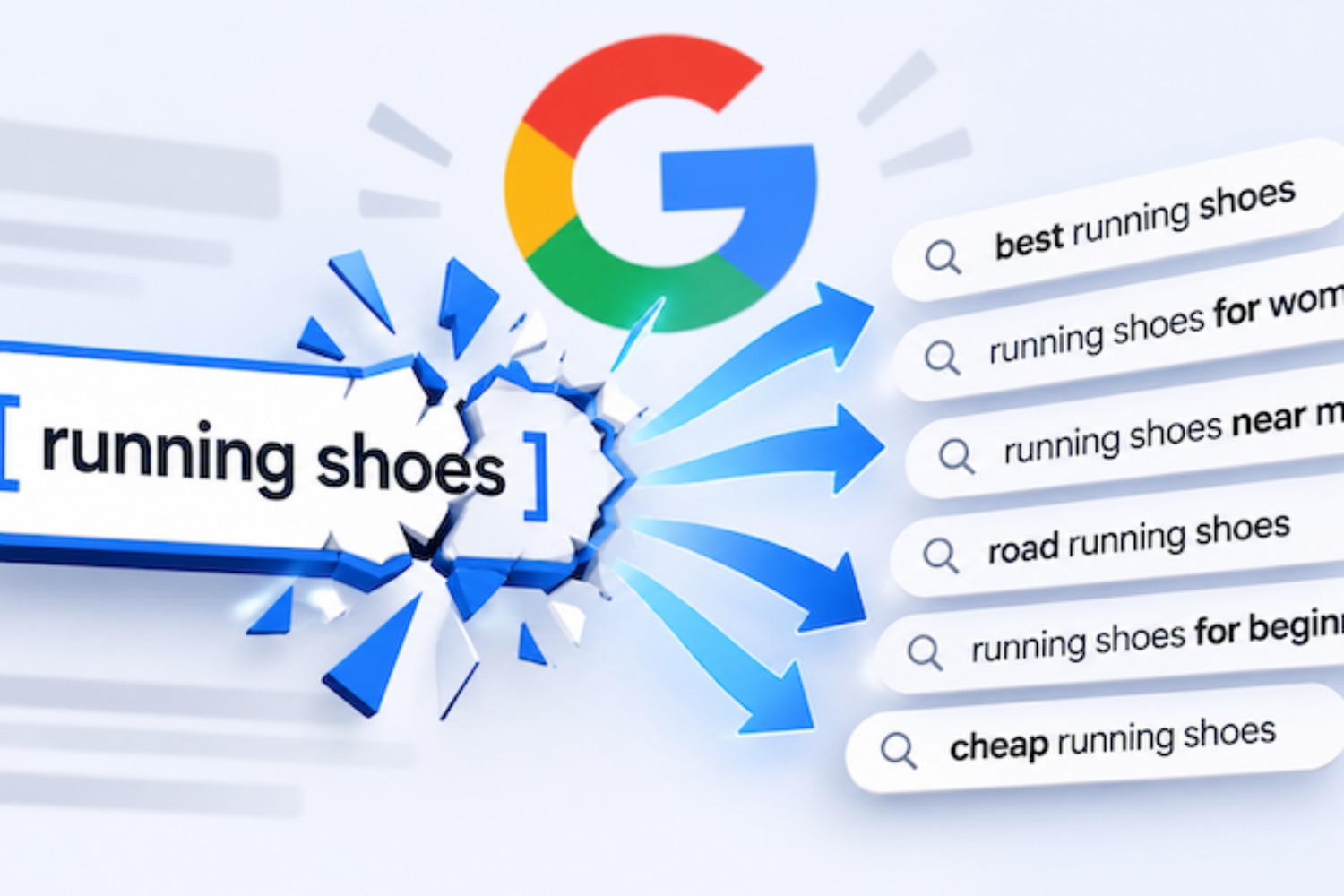
Ten years ago, wrapping a keyword in [brackets] meant your ad showed for that search and nothing else. Today, Google decides what your keyword “means” and matches it to searches you never typed. If you’re still managing Google Ads like it’s 2015, you’re paying for clicks you didn’t choose.
Quick Summary
| Topic | What you need to know |
|---|---|
| The shift | Google now matches ads to the intent behind a search, not the exact words. Even exact match covers synonyms, reworded searches and implied meaning. |
| The opportunity | Broad match paired with Smart Bidding can find profitable searches you would never think to add as keywords. |
| The risk | Broad match without guardrails spends money on searches that will never turn into a customer. |
| The fix | A ruthless, ongoing negative keyword process. Negative keywords don’t expand like regular keywords do, so they’re the most precise control you have left. |
| Who this is for | Business owners and marketing managers spending $2,000+ a month on Google Ads who want to know where the budget is really going. |
Google picks the searches now. Your negative keywords decide which ones you pay for.
Why Exact Match Isn’t Exact Anymore
When I started managing paid search, match types were a contract. Exact match meant exact. Phrase match meant the phrase. Broad match meant “brace yourself.” Advertisers built entire accounts around that control, including the once-popular single keyword ad group (SKAG).
That contract has been rewritten one update at a time:
-
2014: Close variants became mandatory for exact and phrase match. Plurals, misspellings and abbreviations now counted as a match, and you could no longer opt out.
-
2017: Exact match began ignoring word order and function words like “in” or “for.”
-
2018: Exact match expanded to searches with the same meaning. A keyword like [running shoes] could now trigger an ad for “shoes for running.”
-
2021: Google retired broad match modifier and folded its behavior into phrase match.
-
2024: Broad match became the default match type for new Search campaigns using Smart Bidding.
-
2025: Google launched AI Max for Search in beta. It goes beyond keywords entirely, using your landing pages and assets to find new searches.
-
2026: AI Max came out of beta in April. Google announced that Dynamic Search Ads, automatically created assets and the campaign-level broad match setting will automatically upgrade to AI Max. That upgrade was later pushed from September 2026 to February 2027.

Exact match has been loosening for over a decade. Each update gave Google more room to decide what your keyword means.
Today, exact match targets the meaning of your keyword. According to Google’s own documentation on keyword matching, your ad can show for searches with the same meaning or intent as your keyword, including close variants and reordered words. It’s still the tightest option you have. It’s just not a lock anymore.
Pro tip: If your account was built around SKAGs and exact match years ago, check your search terms report. You’ll likely find that your “exact” keywords are matching dozens of searches you never wrote.
How Broad Match + Smart Bidding Actually Works
Modern broad match is not the broad match that burned budgets in 2012. On its own, it’s still a firehose. Paired with Smart Bidding, it becomes a system that decides, auction by auction, whether a search is worth paying for.
Broad match finds the searches
Broad match looks past the words in your keyword. It considers the meaning of the search, your landing page, the other keywords in the ad group and recent searches from that user. A broad match keyword like emergency plumber can show for “water heater leaking at night” even though none of those words match.
Smart Bidding decides what each search is worth
Smart Bidding (Target CPA, Target ROAS, Maximize Conversions and Maximize Conversion Value) sets a separate bid for every auction. Google calls this auction-time bidding. It weighs signals you could never manage by hand:
-
Device, location and time of day
-
The user’s past behavior and audience membership
-
The exact wording of the search
-
How similar searches have converted in your account
If the system predicts a search is unlikely to convert, it bids low or doesn’t bid at all. That’s why Google treats broad match and Smart Bidding as a pair, and why the campaign-level broad match setting has required a conversion-based Smart Bidding strategy.

Smart Bidding sets a new bid for every auction, based on how likely that search is to convert.
Here’s what that looks like in practice
Take a roofing company with the keyword roof replacement cost:
| Search | Exact match [roof replacement cost] | Broad match + Smart Bidding |
|---|---|---|
| how much is a new roof | Likely matches (same meaning) | Matches, bids normally |
| roof replacement financing near me | No match | Matches, likely bids high (strong buying intent) |
| insurance claim for hail damaged roof | No match | May match, bids based on past conversions |
| roofing jobs hiring | No match | May match, should bid low, but you’re relying on the algorithm to get that right |
| diy roof replacement | No match | May match. Same problem. |

Same keyword, two match types. Broad match finds more buyers, and more searches you’ll want to exclude.
The top three rows are the opportunity. Broad match found valuable searches that exact match would have missed. The bottom two rows are the risk.
When broad match + Smart Bidding works (and when it doesn’t)
The system is only as smart as the data you feed it. It works well when:
-
Conversion tracking is accurate. Smart Bidding chases whatever you call a conversion. Count page views or spam form fills, and it will find you more of those.
-
There’s enough volume. My rule of thumb is roughly 30 conversions per campaign per month before I lean on broad match. Below that, the algorithm is guessing, and broad match multiplies the guesses.
-
Conversions reflect real value. Importing qualified leads or closed sales from your CRM teaches the system the difference between a tire-kicker and a customer.
-
Someone is watching the search terms. This is the part most advertisers skip, and it’s where the money leaks.
The Catch: Your Keywords Expand, but Your Negatives Don’t
This is the most misunderstood rule in Google Ads, and it’s why I’m ruthless about negative keywords.
Your regular keywords (broad, phrase and exact) all match close variants. Broad match goes further and reaches related searches using Google’s AI. Negative keywords do none of that. As Google’s negative keyword guide puts it, negatives don’t expand to variants. They match literal strings:
-
Negative broad blocks a search only when all of its words appear, in any order.
-
Negative phrase blocks a search only when it contains those exact words, in that order.
-
Negative exact blocks only that exact search.
-
None of them cover close variants. Excluding flowers still lets your ad show for “red flower.” Plurals and synonyms each have to be added on their own. (Google does account for some common misspellings, but don’t count on it for everything.)

Your keywords expand. Negatives don’t. That’s why every plural and synonym needs its own entry.
Think about what that means. Google keeps widening the net on the targeting side. Your negative list is the only place where you still control exactly which searches you will not pay for, word for word.
That precision is a feature. But it only protects you if someone actually builds and maintains the list. A negative list written once at launch is out of date within a month, because broad match and AI Max keep finding new searches every day.
Your keyword list tells Google what you want. Your negative list tells Google what you’ll never pay for. In 2026, the second list matters more.
My Ruthless Approach to Negative Keywords: 7 Steps
This is the process I run on every account I manage. It lets broad match and Smart Bidding go find new customers, without letting them spend your money on searches that will never convert.
1. Build the Negative List Before Launch, Not After the Damage
Day one, not week six.
Why it matters: The first few weeks of a broad match campaign are when Smart Bidding knows the least. Without negatives, it pays to learn lessons you already know.
Difficulty: Easy
Before a campaign goes live, I add negatives for the searches that are irrelevant to almost every service business: jobs, careers, salary, hiring, free, DIY, how to become, course, certification, template, PDF and Reddit. Then I add industry-specific exclusions. A family law firm doesn’t want “paralegal jobs.” A roofer doesn’t want “roofing shingles wholesale.”
Pro tip: Add both the singular and plural of every negative, plus close synonyms. Negatives don’t cover close variants, so job and jobs are two separate entries.
2. Mine the Search Terms Report Every Week
Your search terms report is a receipt. Read it.
Why it matters: Broad match and AI Max keep finding new searches. Every irrelevant one you don’t catch keeps spending until you do.
Difficulty: Moderate (ongoing)
Every week, I sort the search terms report by cost and ask one question about each search: could this person become a paying customer? If the answer is no, it becomes a negative that day. If a search converts well, I consider promoting it to its own keyword so it gets its own bid and ad copy.

The search terms report shows what you actually paid for. I review it weekly on every broad match campaign.
Pro tip: Don’t just look at searches that spent a lot. Look for patterns. Ten different searches with the word “cheap” that each spent $8 add up to the same $80 as one bad search.
3. Pick the Right Negative Match Type for Each Exclusion
Too broad blocks customers. Too narrow blocks nothing.
Why it matters: A careless negative can quietly shut off your best traffic. A negative broad of repair on a roofing account would block “roof repair,” which might be your most profitable service.
Difficulty: Moderate
My default is negative phrase match for anything with two or more words, negative broad for single words that are never relevant (like jobs), and negative exact when I only want to block one specific search without touching its variations.
Pro tip: Before adding a single-word negative broad, search your keyword list and your converting search terms for that word. If it appears in anything that converts, use phrase or exact instead.
4. Organize Negatives Into Shared, Themed Lists
Build it once, apply it everywhere.
Why it matters: Negatives scattered across 30 ad groups get missed when you launch a new campaign.
Difficulty: Easy
I keep shared negative keyword lists by theme: Employment, DIY & Education, Free & Cheap, Competitors (when the client doesn’t want to bid on them) and Out-of-Area Locations. New campaigns get the right lists from the start. For terms that should never trigger an ad anywhere, I also use account-level negatives.

Themed, shared lists apply the same exclusions to every new campaign from day one.
5. Use Negatives to Control Which Keyword Wins
Send each search to the ad and landing page built for it.
Why it matters: When broad and exact keywords overlap, Google may route a search to a less relevant ad group. That hurts your ad relevance, your landing page experience and your conversion rate.
Difficulty: Advanced
When a search consistently converts in one ad group, I add it as a negative exact in the others. This is sometimes called negative keyword sculpting. Your best searches always land on the ad and page written for them.
6. Don’t Forget Performance Max and AI Max
Automation doesn’t mean exemption.
Why it matters: These campaigns expand reach the most, so they need guardrails the most.
Difficulty: Moderate
Google has given advertisers more control here. In March 2025, it raised the Performance Max negative keyword limit from 100 to 10,000 per campaign, and shared negative lists became usable in Performance Max that August. Keep in mind that Performance Max negative keywords apply to Search and Shopping inventory only, not to Display or YouTube placements. With AI Max taking over from Dynamic Search Ads, the same discipline now applies to your Search campaigns too.

Performance Max now allows up to 10,000 negative keywords per campaign, covering Search and Shopping inventory.
Pro tip: If you upgrade a Dynamic Search Ads campaign to AI Max, audit your negatives afterward. Don’t assume every exclusion carried over.
7. Keep a Change Log, and Know When to Pull Back
Ruthless doesn’t mean reckless.
Why it matters: Google itself warns that too many negatives can limit the system’s ability to find valuable conversions. Over-blocking is a real risk.
Difficulty: Easy
I log every negative I add, with the date and the reason. If conversions drop after a big batch of exclusions, I can see exactly what changed and undo it. The goal is not the longest negative list possible. It’s cutting every search that can’t become a customer, and nothing that can.
Old PPC Advice vs. 2026 Reality
| Old advice | 2026 reality |
|---|---|
| “Use exact match for total control.” | Exact match matches meaning, not words. It’s the tightest option, but not a lock. |
| “Never use broad match.” | Broad match + Smart Bidding can outperform, if tracking is accurate and negatives are maintained. |
| “Build SKAGs for every keyword.” | Close variants make SKAGs mostly redundant. Fewer, themed ad groups give Smart Bidding more data. |
| “Set your negatives at launch.” | Negatives are a weekly job. Broad match and AI Max find new searches every day. |
| “Negatives work like keywords.” | Negatives don’t match close variants. Every plural and synonym needs its own entry. |
| “Bid by keyword.” | Smart Bidding bids by auction, using signals no person can manage by hand. |
| “Performance Max is a black box.” | You can now add up to 10,000 negatives per campaign and apply shared lists. |
| “More conversions = success.” | Smart Bidding chases whatever you count. Import qualified leads and sales, not just form fills. |
The Broad Match Budget Protection Checklist

My weekly search term review, from pulling the report to logging every change.
Run through this before you turn on broad match, and revisit it monthly:
- Conversion tracking is verified (GA4, Google Tag Manager, enhanced conversions)
- Only real business outcomes count as primary conversions
- Offline conversions (qualified leads, sales) are imported from your CRM
- The campaign has roughly 30+ conversions a month, or you’re starting with phrase and exact
- A starter negative list is applied before launch
- Shared, themed negative lists exist and are applied to every campaign
- Singular and plural forms of every negative are added
- The search terms report is reviewed weekly
- Performance Max and AI Max campaigns have negatives applied
- Every negative is logged with a date and a reason
Frequently Asked Questions
Is exact match still worth using in 2026?
Yes. It’s still the most controlled match type, and it’s ideal for proven, high-converting searches. Just know that it matches the meaning of your keyword, not only the exact words.
Is broad match a waste of money?
Not when it’s paired with Smart Bidding, accurate conversion tracking and an active negative keyword list. Without those three, it usually is.
How many conversions do I need before using broad match?
There’s no official minimum. My rule of thumb is about 30 conversions per campaign per month. Below that, I start with phrase and exact match and add broad once there’s enough data.
Do negative keywords match close variants?
No. Negative keywords only block the words you enter. If you exclude job, you also need to exclude jobs.
How often should I review my search terms report?
Weekly for any campaign using broad match, AI Max or Performance Max. Monthly is the bare minimum for exact and phrase campaigns.
Can I add too many negative keywords?
Yes. Over-blocking can cut off valuable searches and starve Smart Bidding of data. Keep a change log so you can see what changed if performance drops.
What is AI Max for Search?
AI Max is Google’s newest feature set for Search campaigns. It uses your landing pages and assets to match ads to searches beyond your keywords and can customize your ad text. It is replacing Dynamic Search Ads, with automatic upgrades now scheduled for February 2027.
Does my landing page affect broad match?
Yes. Broad match uses your landing page to understand what you offer. A clear, focused page helps Google match you to the right searches. My on-site SEO tweaks guide covers many of the same fundamentals.
Final Recommendation
Don’t fight the shift to intent. Use it. Broad match and Smart Bidding can find customers your keyword list never would. But automation only spends money wisely when someone draws the boundaries.
Start by fixing your conversion tracking. Then build your starter negative lists, review your search terms every week and expand into broad match once you have the data to support it. The advertisers who win in 2026 aren’t the ones with the longest keyword lists. They’re the ones who know exactly what they refuse to pay for.
Want a second set of eyes?
Get a free PPC audit directly from a senior specialist, not a sales rep. I’ll review your search terms, negative keywords and bidding setup, and show you exactly where your budget is leaking.
Or learn more about my Paid Search Management services.
What’s the strangest search term you’ve found in your account? Share it in the comments or on LinkedIn.

