
Last updated: October 26, 2026
Seven years ago, “easy SEO tweaks” meant a meta description and a sitemap. Today, the same checklist has to get you past Google’s core updates and into its AI answers.
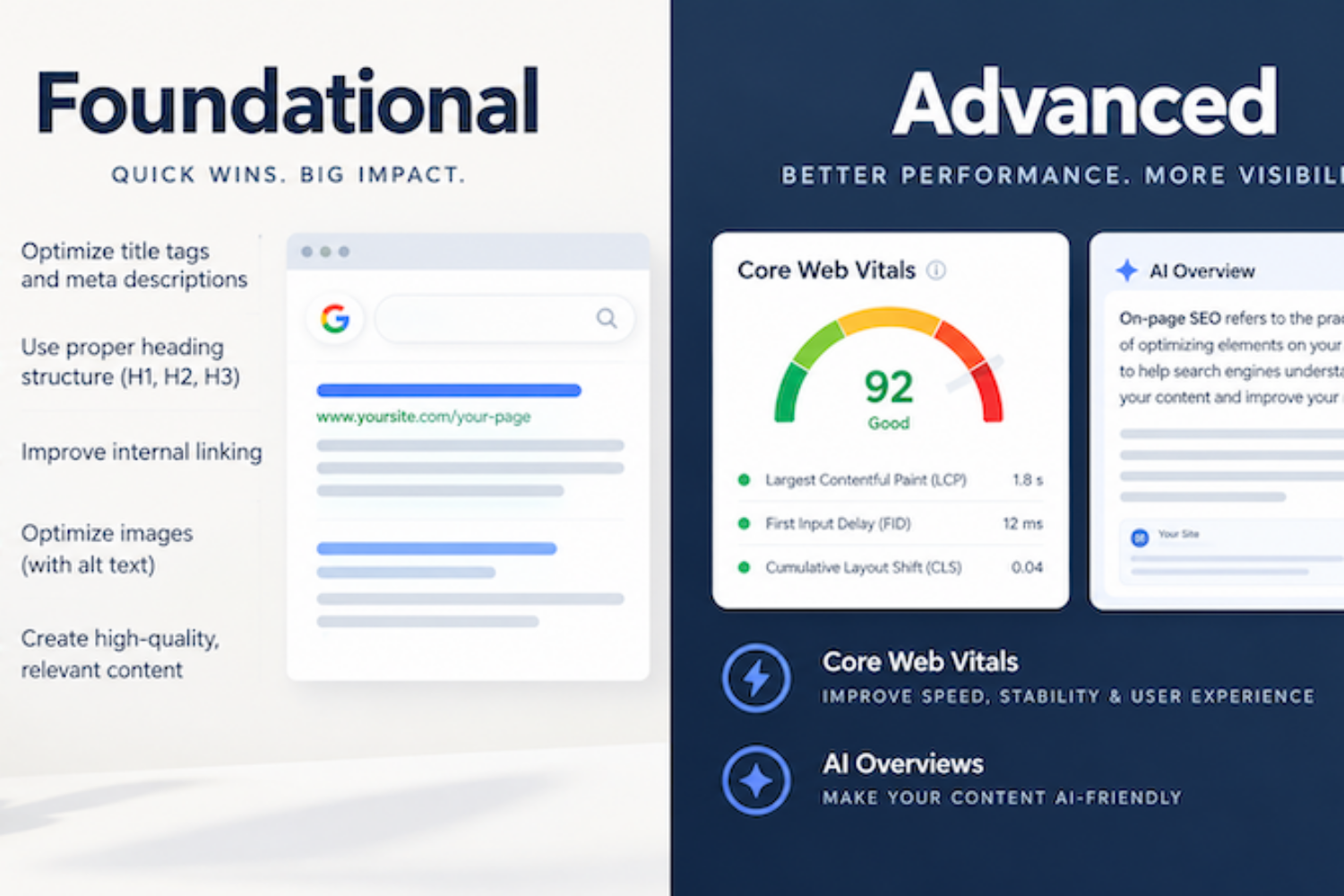
| Quick Summary: The on-site SEO tweaks that matter most in 2026 fall into two tiers. Foundational: get every important page indexed, write a unique title and meta description that match search intent, use one H1 and logical H2s, write descriptive alt text, link related pages together, and keep your XML sitemap clean. Advanced: pass all three Core Web Vitals (LCP ≤ 2.5 s, INP ≤ 200 ms, CLS ≤ 0.1), prove E-E-A-T with real author bios and first-hand data, add Article, Person and Organization schema that matches the page, build topic clusters instead of chasing keyword density, and put a direct answer under each question heading so AI Overviews and AI Mode can cite you. Most foundational fixes take under an hour; the advanced tier is an ongoing quarterly routine. |

Your rankings aren’t broken. Your checklist is just from 2019.
Why the Old “Easy SEO Tweaks” Checklist Isn’t Enough Anymore
When I first published this post in January 2019, on-site SEO was mostly about telling search engines what a page was about: a keyword in the title, a meta description, a sitemap, some alt text. Those basics still matter. But they’re now the price of entry, not the advantage. Three things changed:- Core updates got more frequent and more brutal. Google ran three broad core updates in 2025 (March, June and December), then two more in 2026 (March 27 – April 8 and May 21 – June 2), plus spam updates in March, June, August and September 2026 (Google Search Status Dashboard). Each one re-scores how helpful and trustworthy your pages are compared with everyone else’s.
- Search results now answer the question before anyone clicks. Google says AI Overviews has more than 2.5 billion monthly users and AI Mode more than 1 billion (9to5Google, June 2026). Ahrefs’ updated study of 300,000 keywords found position-one click-through rate was about 58% lower when an AI Overview appeared.
- Being cited is the new ranking. Seer Interactive’s tracking of 53 brands found brands cited inside an AI Overview earned about 20,700 organic clicks per million impressions, versus about 9,400 for brands that ranked but weren’t cited — roughly 120% more (Presenc.ai roundup of Ahrefs, Pew and Seer data).
- Foundational tweaks — the non-negotiables. If these are broken, nothing else matters.
- Advanced modern adjustments — the things that separate pages that rank from pages that get chosen by Google’s systems and by people.
Foundational vs. Advanced: Which Tweaks Should You Do First?
Start at the top and work down. Each foundational item protects you from losing rankings; each advanced item helps you win clicks and AI citations.| Tweak | Tier | What it protects or wins | Time to implement | Tool to check it |
|---|---|---|---|---|
| Indexation & clean XML sitemap | Foundational | Pages can’t rank (or be cited) if they aren’t indexed | 30 min | Search Console → Pages & Sitemaps |
| Intent-matched page titles | Foundational | The click in classic results | 10 min/page | Search Console → Performance (CTR) |
| CTR-focused meta descriptions | Foundational | Click-through rate and lower bounce | 10 min/page | Search Console → Performance |
| Clean URL structure | Foundational | Readability and link sharing | 5 min/page | Screaming Frog or site audit tool |
| Heading hierarchy (H1–H3) | Foundational | Scannability for people and machines | 15 min/page | Browser extension (e.g., Detailed SEO) |
| Descriptive alt text | Foundational | Accessibility, Google Images & Lens | 2 min/image | Site audit tool |
| Purposeful internal links | Foundational | Discovery and topical authority | 20 min/page | Search Console → Links |
| Mobile-friendly, crawlable pages | Foundational | Mobile-first indexing | Varies | URL Inspection tool |
| Core Web Vitals (LCP, INP, CLS) | Advanced | Page experience and conversions | Hours–days | PageSpeed Insights, CrUX, Search Console |
| E-E-A-T signals & author bios | Advanced | Trust during core updates | 1–2 hours | Manual review |
| Structured data (Article, Person, Organization) | Advanced | Machine-readable context | 1 hour | Rich Results Test, Schema Markup Validator |
| Topic clusters & semantic coverage | Advanced | Topical authority | Ongoing | Search Console queries, keyword tool |
| Answer-first formatting for AI features | Advanced | AI Overview / AI Mode citations | 30 min/page | Search Console → Generative AI report |
| Content refresh & helpfulness audit | Advanced | Core-update resilience | Quarterly | Search Console + analytics |
| Measure AI visibility | Advanced | Knowing what’s working | 15 min/month | Search Console → Generative AI report |
Part 1: 8 Foundational On-Site SEO Tweaks (Do These First)
1. Make Sure Google Can Actually Index Your Pages (and Keep Your Sitemap Honest)

A sitemap is an invitation. Indexing is the RSVP.
Why it matters: A page that isn’t indexed can’t rank, and it can’t be cited in AI Overviews or AI Mode either
Difficulty: Easy
In 2019 I told you to create a sitemap and submit it. That’s still step one — WordPress (or Yoast/Rank Math) builds it for you. But submitting a sitemap is only a hint. The real job is checking that your important pages actually made it into Google’s index.- Submit your sitemap in Search Console under Indexing → Sitemaps, and add a
Sitemap:line to your robots.txt. - Open Indexing → Pages and read the “Why pages aren’t indexed” list. “Crawled – currently not indexed” on your money pages is a quality signal, not a technical glitch.
- Only list canonical, indexable URLs (status 200, no noindex, no redirects).
- Keep
<lastmod>honest. Google says it ignores<priority>and<changefreq>, and only uses<lastmod>when it’s consistently accurate (Google: Build and submit a sitemap). - Crawl budget only matters for very large or fast-changing sites. For a typical small business site with a few hundred pages, focus on index quality, not crawl budget.
2. Write Page Titles That Match Search Intent

Your title is your headline, not your keyword list.
Why it matters: The title is the biggest factor in whether someone clicks your result
Difficulty: Easy
Every page still needs a unique title. What changed is how you write it. Before you write a title, Google the keyword and look at what’s ranking. Are the top results guides, product pages, local service pages or comparison lists? That’s the search intent, and your title (and page) should match it.- Put the main topic near the front, in natural language.
- Aim for about 50–60 characters so it isn’t cut off on desktop. Google doesn’t publish a hard limit, but longer titles get truncated.
- Match the format to the intent: “How to…” for informational, “Best…” or “vs.” for comparison, “[Service] in [City]” for local.
- Add a reason to click: a year, a number or a specific outcome.
3. Treat Meta Descriptions as Ad Copy for Click-Through Rate

Same ranking, more clicks. That’s the whole game.
Why it matters: A strong description lifts CTR and sets the right expectations, so visitors who click don’t bounce
Difficulty: Easy
Meta descriptions aren’t a direct ranking factor, and Google often rewrites them to fit the query. They still matter because, when Google uses yours, it’s your ad. With AI Overviews pushing organic results further down the page, every click you do earn has to be fought for.- Write roughly 140–160 characters that answer “Why should I click this result?”
- Mirror the searcher’s language and promise what the page actually delivers. A mismatch causes quick bounces back to Google.
- Include a specific detail (a price range, a timeframe, a number) that an AI summary can’t fully replace.
4. Keep URLs Short, Readable and Stable
Why it matters: Clean URLs are easier to share, link to and understand
Difficulty: Easy (for new pages)
Use short, descriptive, hyphenated slugs like/houston-seo-services/ instead of /?p=1234 or /category/2019/01/services-page-new-final/. Leave out dates if you plan to update the content.
Pro tip: Don’t rename old URLs just to add a keyword. Changing a URL resets its history and risks broken links. If you must change one, add a 301 redirect and update internal links. (That’s exactly why this post kept its original URL.)
5. Use One H1 and a Logical Heading Outline

If your headings read like a table of contents, you’re doing it right.
Why it matters: Headings help people scan and help Google (and its AI features) find the right section to show
Difficulty: Easy
Use one H1 for the page’s main topic, H2s for the major sections, and H3s for the steps inside them. Never pick a heading level because of how big the font looks; change the styling in your theme instead. The 2026 upgrade: write H2s and H3s as the questions people actually ask (“How long does SEO take?”), and answer each one in the first sentence or two beneath it. That helps skimmers, and it makes the answer easy for Google’s systems to locate. Google is clear that you don’t need to “chunk” content into tiny pieces for AI; good organization for readers is enough (Google: Optimizing for generative AI).6. Write Alt Text for People First (Google Lens Is Watching Too)
Why it matters: Alt text powers accessibility, Google Images, and visual search like Google Lens
Difficulty: Easy
Google says alt text is the most important attribute for image metadata, and that it combines alt text with computer vision and the surrounding page content to understand an image (Google: Image SEO best practices). People now search with images through Google Lens and multimodal AI Mode queries, so specific, accurate descriptions help your images get matched.- Bad:
alt=""oralt="SEO SEO Houston SEO expert SEO services" - Better:
alt="SEO report" - Best:
alt="Core Web Vitals report showing LCP improved from 4.1 to 2.2 seconds"
core-web-vitals-report.png, not IMG_0042.png), place images near the text they illustrate, and serve them as WebP or AVIF at the size they display.
Pro tip: Use real, original images — screenshots of your own dashboards, team photos, project results. Stock photos give Google nothing new to understand.
7. Build Internal Links on Purpose
Why it matters: Internal links help Google discover pages, understand how topics relate, and pass authority to the pages that make you money
Difficulty: Easy to medium
Google lists internal links among the SEO basics that still matter for AI features (Google: AI features and your website). Use descriptive anchor text (“our Core Web Vitals guide,” not “click here”), link from high-traffic posts to your service pages, and make sure every important page is reachable within three clicks of the homepage. Pro tip: In Search Console, open Links → Internal links. If a key service page has fewer internal links than your privacy policy, fix that today.8. Confirm Your Site Works on Mobile and Can Be Crawled
Why it matters: Google indexes the mobile version of your site, so the mobile version is your site
Difficulty: Easy to check, varies to fix
Make sure your mobile pages show the same main content, headings, structured data and internal links as desktop. Don’t block CSS or JavaScript in robots.txt, and check that your CDN or security plugin isn’t blocking Googlebot. Google lists “crawling is allowed in robots.txt, and by any CDN or hosting infrastructure” as a baseline for AI features (Google: AI features and your website). Pro tip: Run URL Inspection → Test live URL → View tested page → Screenshot. If the screenshot is blank or broken, Google sees the same thing.Part 2: 7 Advanced Modern Adjustments (Where Rankings Are Won Now)
9. Pass All Three Core Web Vitals (Not Just “Load Fast”)

Speed is a feeling. Core Web Vitals turn it into a score.
Why it matters: Google says good Core Web Vitals align with what its core ranking systems seek to reward, and they directly affect conversions
Difficulty: Medium to advanced
In 2019 this section said “create fast-loading pages.” Google now measures speed with three specific field metrics, based on real Chrome users at the 75th percentile (Google: Core Web Vitals):| Metric | What it measures | Good | Needs improvement | Poor | Most common fix |
|---|---|---|---|---|---|
| LCP (Largest Contentful Paint) | How fast the main content appears | ≤ 2.5 s | 2.5–4.0 s | > 4.0 s | Compress and preload the hero image; faster hosting; caching |
| INP (Interaction to Next Paint) | How fast the page responds to taps and clicks | ≤ 200 ms | 200–500 ms | > 500 ms | Cut heavy JavaScript, chat widgets and unused plugins |
| CLS (Cumulative Layout Shift) | How much the layout jumps while loading | ≤ 0.1 | 0.1–0.25 | > 0.25 | Set image/ad dimensions; preload fonts |
- Run your homepage and top service page through PageSpeed Insights. Read the top section (real-user CrUX data) first; the Lighthouse score below it is a lab simulation.
- Open Search Console → Core Web Vitals to see which URL groups fail on mobile vs. desktop.
- Fix the worst metric on your highest-traffic template first, then re-check after 28 days (field data is a rolling 28-day window).
10. Prove E-E-A-T: Experience, Expertise, Authoritativeness and Trust

Google can’t shake your hand. Show it who you are.
Why it matters: Core updates keep rewarding content that shows real, first-hand experience and clear accountability
Difficulty: Medium
E-E-A-T isn’t a single ranking factor or a score. It’s the set of signals Google’s systems and quality raters use to judge whether content is reliable. Google’s own advice is to create content with a unique point of view, based on first-hand experience, instead of recycling what’s already out there (Google: Optimizing for generative AI).- Experience: Show your own work — real screenshots, client results (with permission), before-and-after numbers, photos from the job.
- Expertise: Every article gets a named author with a bio, credentials and a link to an author page.
- Authoritativeness: Link the author page to LinkedIn and other profiles, and earn mentions from real industry sources.
- Trust: Cite your sources, show a “last updated” date, and make contact details, address and policies easy to find.
11. Add Structured Data That Describes Who Wrote the Page (With Copy-and-Paste Code)
Why it matters: Schema markup gives Google machine-readable facts about the article, its author and your business
Difficulty: Medium
A quick reality check first. Google says structured data isn’t required for AI Overviews or AI Mode, and there’s no special “AI schema” (Google: AI features and your website). And as of May 7, 2026, FAQ rich results no longer appear in Google Search at all; HowTo rich results were already retired in 2023 (Search Engine Journal). So skip FAQ schema as a “get more SERP space” trick. What is worth doing: accurate Article/BlogPosting, Person (author) and Organization or LocalBusiness markup. It removes ambiguity about who wrote the page and who stands behind it, and Google’s rule is simple: the markup must match what’s visible on the page. Here’s the snippet for this post. Paste it into the page’s HTML (or a header-scripts plugin), then swap in your own details:<script type="application/ld+json">
{
"@context": "https://schema.org",
"@graph": [
{
"@type": "BlogPosting",
"@id": "https://gustavorobledo.com/easy-on-site-seo-tweaks-to-improve-rankings/#article",
"headline": "On-Site SEO Checklist: Foundational vs. Advanced Tweaks to Survive Core Updates and Win AI Overviews",
"description": "A 2026 on-site SEO checklist: 8 foundational fixes and 7 advanced tweaks for core updates and AI Overviews.",
"image": "https://gustavorobledo.com/wp-content/uploads/2026/10/on-site-seo-checklist-foundational-vs-advanced.png",
"datePublished": "2019-01-01",
"dateModified": "2026-10-21",
"mainEntityOfPage": "https://gustavorobledo.com/easy-on-site-seo-tweaks-to-improve-rankings/",
"author": { "@id": "https://gustavorobledo.com/#gustavo" },
"publisher": { "@id": "https://gustavorobledo.com/#business" }
},
{
"@type": "Person",
"@id": "https://gustavorobledo.com/#gustavo",
"name": "Gustavo Robledo",
"jobTitle": "Digital Marketing Specialist and SEO Consultant",
"url": "https://gustavorobledo.com/author/gustavo/",
"sameAs": [
"https://www.linkedin.com/in/gustavorobledo/",
"https://twitter.com/SEOExpertGus",
"https://www.facebook.com/SEOExpertGus/"
]
},
{
"@type": "ProfessionalService",
"@id": "https://gustavorobledo.com/#business",
"name": "Gustavo Robledo | Digital Marketing Specialist",
"url": "https://gustavorobledo.com/",
"areaServed": "Houston, TX",
"founder": { "@id": "https://gustavorobledo.com/#gustavo" }
}
]
}
</script>12. Replace Keyword Density With Topic Clusters and Semantic Coverage

Google stopped counting keywords years ago. Stop writing for the counter.
Why it matters: Google understands topics, entities and synonyms, so complete coverage beats repetition
Difficulty: Medium (ongoing)
The 2019 version of this post said to use your keyword more often on longer pages. Forget density. Google says its systems understand synonyms and meaning, so you don’t need every keyword variation (Google: Optimizing for generative AI). AI Overviews and AI Mode also use “query fan-out,” running several related searches across subtopics to build one answer. Sites that cover a topic thoroughly get more chances to be pulled in.- Pick a pillar topic you want to be known for (for example, “on-site SEO”).
- List the subtopics and questions people ask: People Also Ask boxes, Search Console queries, client questions, AI Mode follow-ups.
- Cover the related entities a real expert would mention — here that’s Core Web Vitals, Search Console, schema.org, E-E-A-T, crawling and indexing.
- Give big subtopics their own page and link pillar ↔ cluster both ways.
- Don’t mass-produce near-duplicate pages for every keyword variation. Google says doing that to manipulate rankings or AI answers violates its scaled content abuse policy.
13. Format Pages So AI Overviews (and Humans) Can Use Them

Answer first. Explain second. Prove it third.
Why it matters: Being cited inside an AI Overview earns far more clicks than ranking below it uncited
Difficulty: Easy to medium
Google says there are no special tricks for AI features: no llms.txt file, no special markup, no rewriting content “for AI” (Google: Optimizing for generative AI). What does help is a page that answers clearly and adds something new:- Lead with the answer. Put a direct 1–2 sentence answer right under each question heading, then the detail.
- Use tables and numbered steps for comparisons and processes. They’re easy for people to scan and easy for Google to extract.
- Add a “Quick Answer” summary at the top of long posts (like the Quick Picks box above).
- Include specifics an AI can’t invent: your prices, timelines, local details, original data and screenshots.
- Keep important content in text, not only in images, PDFs or video.
- Keep your Google Business Profile current if you’re a local business; Google lists it as an input for AI features.
14. Refresh Content on a Schedule (and Prune What Isn’t Helpful)
Why it matters: Google’s helpful-content signals are part of its core ranking systems, which every core update re-evaluates
Difficulty: Medium (quarterly)
“Create fresh content” in 2019 meant publish more. Now it means publish better and keep it accurate. Google’s core update guidance points site owners to its page on creating helpful, reliable, people-first content, and says there’s nothing special to do if you’ve been making satisfying content for people (Search Engine Land, May 2026).Every quarter:
- Update outdated statistics, screenshots and tool names (FID → INP is a classic)
- Rewrite intros that make readers scroll before getting the answer
- Merge thin posts that cover the same topic into one strong page, and 301-redirect the rest
- Remove filler written only to hit a word count
- Change the “last updated” date only after a meaningful update
15. Measure Your AI Visibility in Search Console

You can’t improve what you can’t see. Now you can see it.
Why it matters: You finally have first-party data on how often your pages appear in AI Overviews and AI Mode
Difficulty: Easy
After a gradual rollout that started in June 2026, Search Console’s generative AI performance report and the Search generative AI control are now available to all sites worldwide (Search Engine Land). The report shows impressions and which pages appear in AI features. It does not show clicks or queries yet, so pair it with your regular Performance report and Google Analytics. Pro tip: Before you even consider the AI opt-out toggle, look at the report. Opting out removes you from AI Overviews, AI Mode and Discover’s AI features entirely; for most small businesses, being cited is worth more than the control.What Changed Since 2019? Old Advice vs. 2026 Reality
If you’re still following the original version of this checklist, here’s what to update:| 2019 advice | What’s outdated | What to do in 2026 |
|---|---|---|
| “Create fresh content regularly.” | Volume doesn’t help; thin or recycled posts can hurt during core updates. | Publish fewer, more original pieces. Refresh and merge old ones quarterly. |
| “Write meta descriptions for each page.” | Treated as a box to check. | Write them as ad copy to lift CTR and match intent. |
| “Keep titles under 60 characters with keywords.” | Keyword-stuffed titles get rewritten by Google. | Match search intent first and front-load the topic naturally. |
| “Use keywords in URLs.” | Renaming old URLs for keywords loses their history. | Use clean slugs for new pages. Leave old URLs alone, or 301 them. |
| “Use ALT tags with keywords.” | Keyword-stuffed alt text can be treated as spam. | Describe the image accurately for people, screen readers and Google Lens. |
| “Create a sitemap and submit it everywhere.” | Submitting isn’t the same as being indexed. | Check Search Console’s Pages report and keep <lastmod> accurate. |
| “Use keywords more on longer pages.” | Keyword density is obsolete. | Build topic clusters and cover related entities. |
| “Create fast-loading pages.” | “Fast” is too vague. | Pass LCP, INP and CLS in real-user (field) data. |
| (Not in the 2019 post) | — | Add author bios, E-E-A-T signals and Article/Person schema. |
| (Not in the 2019 post) | — | Format answers for AI Overviews and track them in Search Console. |
The Core Update & AI Overview Survival Checklist
Print this, copy it into your project tool, or tick it off right here.
Foundational (one-time setup, then monthly checks)
- Important pages are indexed (Search Console → Pages)
- XML sitemap is submitted, error-free, and lists only canonical URLs
- The Search generative AI setting in Search Console is left on (included)
- Every page has a unique, intent-matched title and meta description
- Each page has one H1, and the H2s and H3s follow a logical outline
- Every meaningful image has descriptive alt text and a descriptive filename
- Key service pages have at least 5 internal links pointing to them
- Mobile pages show the same content, links and schema as desktop
- robots.txt, your CDN and security plugins don’t block Googlebot
Advanced (quarterly routine)
- LCP ≤ 2.5 s, INP ≤ 200 ms and CLS ≤ 0.1 in mobile field data
- Every post has a named author, bio, author page and “last updated” date
- Article, Person and Organization/LocalBusiness schema is validated and matches visible content
- Each priority topic has a pillar page linked to its cluster posts
- Question headings are followed by a direct 1–2 sentence answer
- Each post has at least one piece of original data, screenshot or first-hand example
- Outdated stats and screenshots are refreshed, and thin duplicates are merged
- The Generative AI report is reviewed and compared with last quarter
- After each core update, Search Console data from 2 weeks before and 2 weeks after completion is compared
Frequently Asked Questions
What is on-site SEO?
On-site (or on-page) SEO is everything you control on your own website to help it rank: content, titles, headings, images, internal links, page speed, structured data and technical health. Off-site SEO covers things like backlinks and brand mentions.Do I need to do anything special to appear in Google’s AI Overviews?
No special file, markup or “AI schema” is required. Google says a page only needs to be indexed and eligible to show with a snippet. In practice, the pages that get cited are clear, well-organized, original and trustworthy — the same qualities that protect you during core updates.What are good Core Web Vitals scores?
LCP of 2.5 seconds or less, INP of 200 milliseconds or less, and CLS of 0.1 or less, measured on real users at the 75th percentile. Check yours in PageSpeed Insights or Search Console.Is FAQ schema still worth adding?
Not for rich results. Google stopped showing FAQ rich results on May 7, 2026. Existing FAQ markup won’t hurt you, but your time is better spent on accurate Article, Person and Organization schema and on writing great answers on the page itself.Do I need an llms.txt file?
Not for Google. Google says Search ignores llms.txt files. It won’t hurt to have one for other AI tools, but it won’t help your Google rankings or AI Overview visibility.How do I recover from a Google core update?
Don’t make panic changes mid-rollout. Wait until the update finishes, compare Search Console data before and after, find which pages and queries dropped, and improve those pages’ helpfulness, originality and trust signals. Recovery often shows up at the next core update.How often should I update old blog posts?
Review your top-traffic and top-converting posts every quarter, and refresh any post whose facts, screenshots or recommendations are out of date. Update the “last updated” date only when the change is meaningful.Can I just use AI to write my SEO content?
Google doesn’t penalize content for being AI-assisted, but it does penalize mass-produced, low-value pages. Use AI to speed up research and drafts, then add what only you have: real experience, results, opinions and local knowledge.Final Recommendation
The sites that survive core updates and the sites that get cited in AI Overviews are the same sites: technically clean, clearly organized and genuinely useful. Start with the eight foundational tweaks this week; most take less than an hour each. Then add one advanced adjustment per week, starting with Core Web Vitals and author E-E-A-T, because those protect every page on your site at once. Revisit the checklist every quarter and after every core update.Want a second set of eyes?
Get a free SEO audit directly from a senior specialist, not a sales rep. I’ll review your site against this checklist and show you the top three fixes that will move the needle.
Or learn more about my SEO services.

